Connect your own AI agent (MCP)
Techy Broker runs an MCP server, the open standard AI agents use to call tools. Point Claude Code, Cursor, an agent you build or any MCP client at it, and it can work with your clients, calculators, research and forms.
Open the MCP referenceStep by step
- 1
Use the server address
Add https://techybroker.com/api/mcp to your agent as a remote MCP server, over Streamable HTTP. There's no API key to copy.
- 2
Sign in when asked
The first time the agent connects, a Techy Broker window opens. Sign in, check what it can do, and click Allow. The agent gets its own connection to your account.
- 3
Let it find the tools
The agent lists the tools itself: clients and properties, 26 calculators, property research, forms, and lookups in the help center and policies (with a way to ask our team to reach out). You don't configure them one by one.
- 4
Give it a job
Ask in plain words, for example: find my buyer clients in Evanston and run cash to close on each of their properties, with PDFs.
- 5
See it in your dashboard
Everything the agent runs is saved to Results, under the client it was for, and its connection shows under Account, AI assistants, where you can remove it.
Add it to common agents
Every MCP client takes the same address. The exact commands and config files are on the MCP reference page.
- Claude Code: claude mcp add --transport http techy-broker https://techybroker.com/api/mcp, then run /mcp and sign in.
- Cursor, VS Code and Windsurf: add a server named techy-broker with the url https://techybroker.com/api/mcp to the editor's MCP settings.
- Claude and ChatGPT apps: see Use Techy Broker in ChatGPT and Claude.
- Your own agent: any MCP client library that supports OAuth (for example the official TypeScript or Python SDK) finds the sign-in on its own.
How an agent should work with it
The server tells agents its rules when they connect, and the tools are labelled so agents know which ones change data.
- Look up before creating: search clients first so it doesn't make duplicates, and confirm names, emails, phone numbers and addresses before saving.
- Give it the numbers you know: calculators have sensible defaults, but your real price, rate and taxes make the answer yours.
- Pass the client: calculator and research calls that name a client are filed under them in Results and put their name on the PDF.
- Pass along the disclaimer: every estimate and public-record result comes with one, and none is legal, tax, lending or appraisal advice.
- Long research runs in the background: start it, keep working, and fetch the result when it's done.
Safe by design
An agent can only do what you could do in the dashboard, on your plan. Nothing can be deleted through the connection, forms are only started as drafts for you to review and sign, and it never sees your password.
Disconnect any agent from Account, AI assistants. Signing out of all sessions or changing your password ends every connection at once.
Questions
Is there an API key?
No. Agents sign in with OAuth, the same way you'd sign in to an app, so each one has its own connection you can see and remove.
Can I run it without a person clicking Allow?
Someone has to approve the connection once. After that the agent keeps working until you disconnect it or sign out everywhere (connections last up to 90 days without use).
Where's the full list of tools and their inputs?
On the MCP reference page at techybroker.com/developers/mcp. It's generated from the live server, so it's always current.
Related
Connect Techy Broker to ChatGPT or Claude and ask in plain words, or by voice: look up and update clients, run any calculator with your branded PDF, research a property and start a form draft.
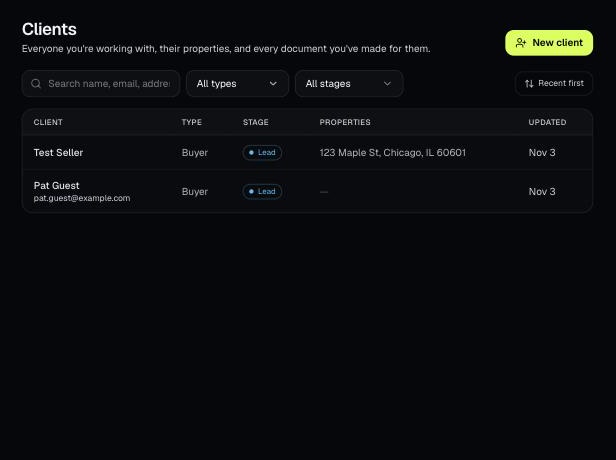
Clients holds everyone you work with, their properties, and every document you've made for them. Tools open prefilled from a client's property.
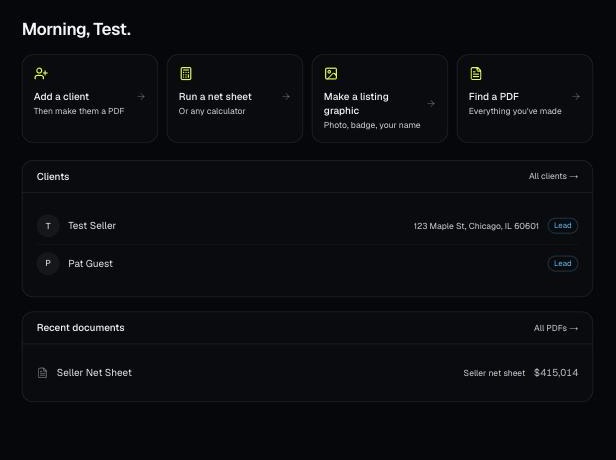
Make a free account, add your brand, and make your first PDF. This is the short path from sign-up to sending a client something with your name on it.