Seller Prep Checklist
Builds a week-by-week plan to get a home ready to list, counting back from the list date. Tasks change with the home and the work it needs.
Open the Seller Prep ChecklistStep by step
- 1
Set the dates
Enter the list date and, if you like, a start date. Both are optional; without a list date you get the plan without dates.
- 2
Describe the home
Pick the type, age and bedrooms, and turn on lived in, pets, kids, yard or pool as they apply.
- 3
Pick the work
Choose what needs work: paint, floors, roof, landscaping, repairs, deep clean, declutter or a storage unit. With repairs on, type one repair per line. Then pick staging and media.
- 4
Check off tasks
Tap a task to mark it done. The top card shows progress.
- 5
Download the PDF
If you like, pick a client and property in the Client & property menu above the button so the PDF says who it's for. It doesn't change your numbers. Download the Pre-Listing Prep Plan PDF with your name, photo and phone on it; it saves to the Results tab.
- 6
Send it to clients
The Share tab has your branded link for this calculator, with buttons to copy, text or email it. Clients can run it there on their own.
Reading the plan
Tasks are grouped 6+ weeks before, 4 weeks, 2 weeks, 1 week, the day before photos, listing day and during showings, each with a date once you set a list date.
If the start date is late, the earlier weeks fold into a Start now group so nothing is missed.
What the PDF has
Each group with its date and tasks, with Done next to the ones you checked. Photos are planned a few days before the list date; move that to fit your photographer.
On your branded page
Clients can run this calculator on your branded page, techybroker.com/b/{handle}, under Selling. To download the PDF they give a name and an email or phone. That adds them to your clients, and their runs and downloads show in Activity.
Questions
Are checkmarks saved?
They stay on the page while it's open and print as Done on the PDF. Reopening a saved run brings back the answers and dates, not the checkmarks.
Why did a task appear or disappear?
Tasks depend on your answers. For example, a roof task shows only when roof is picked, and HOA tasks only for townhomes and condos.
Related
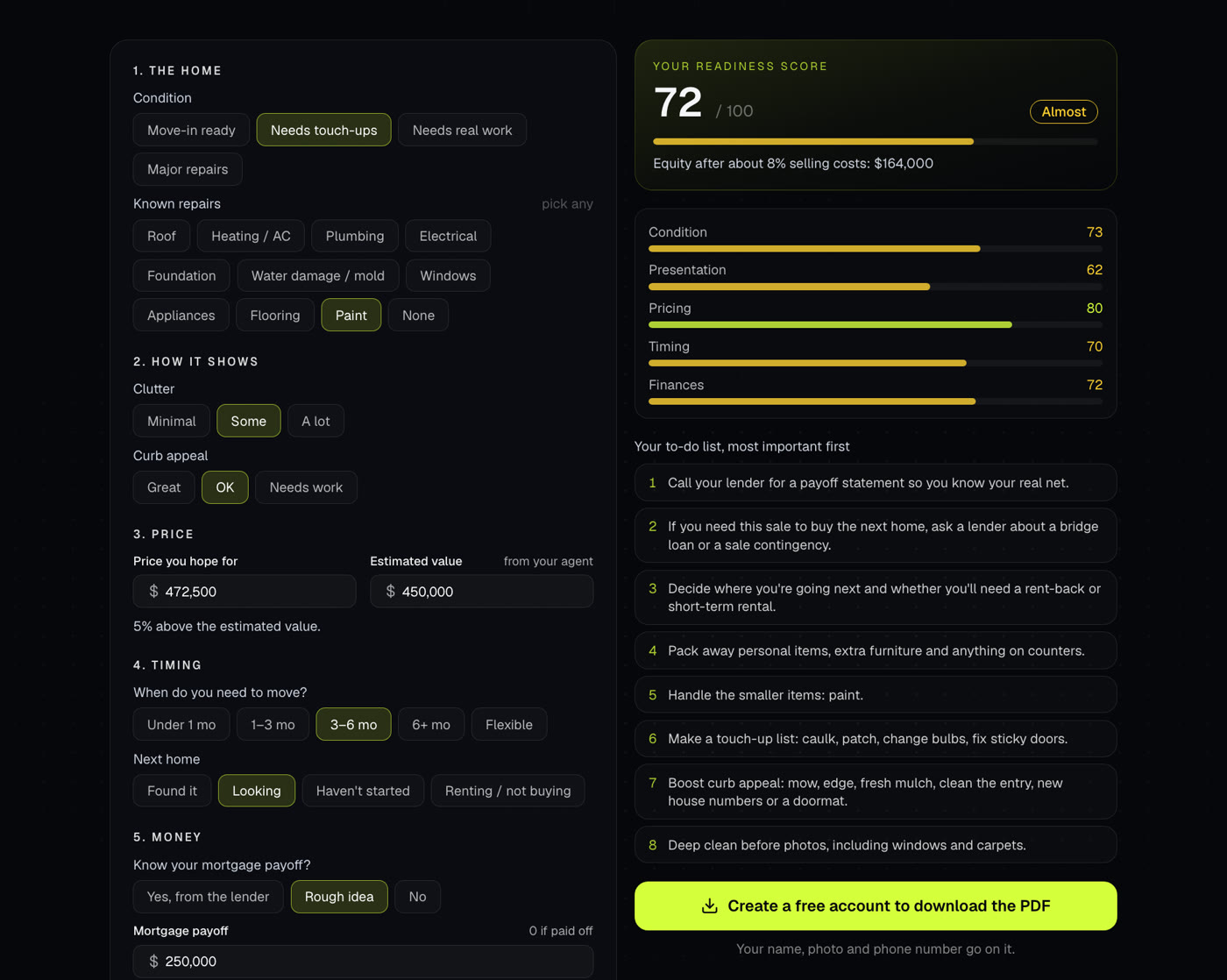
A short quiz that scores how ready a seller is to list, out of 100, and builds a to-do list in order of importance.
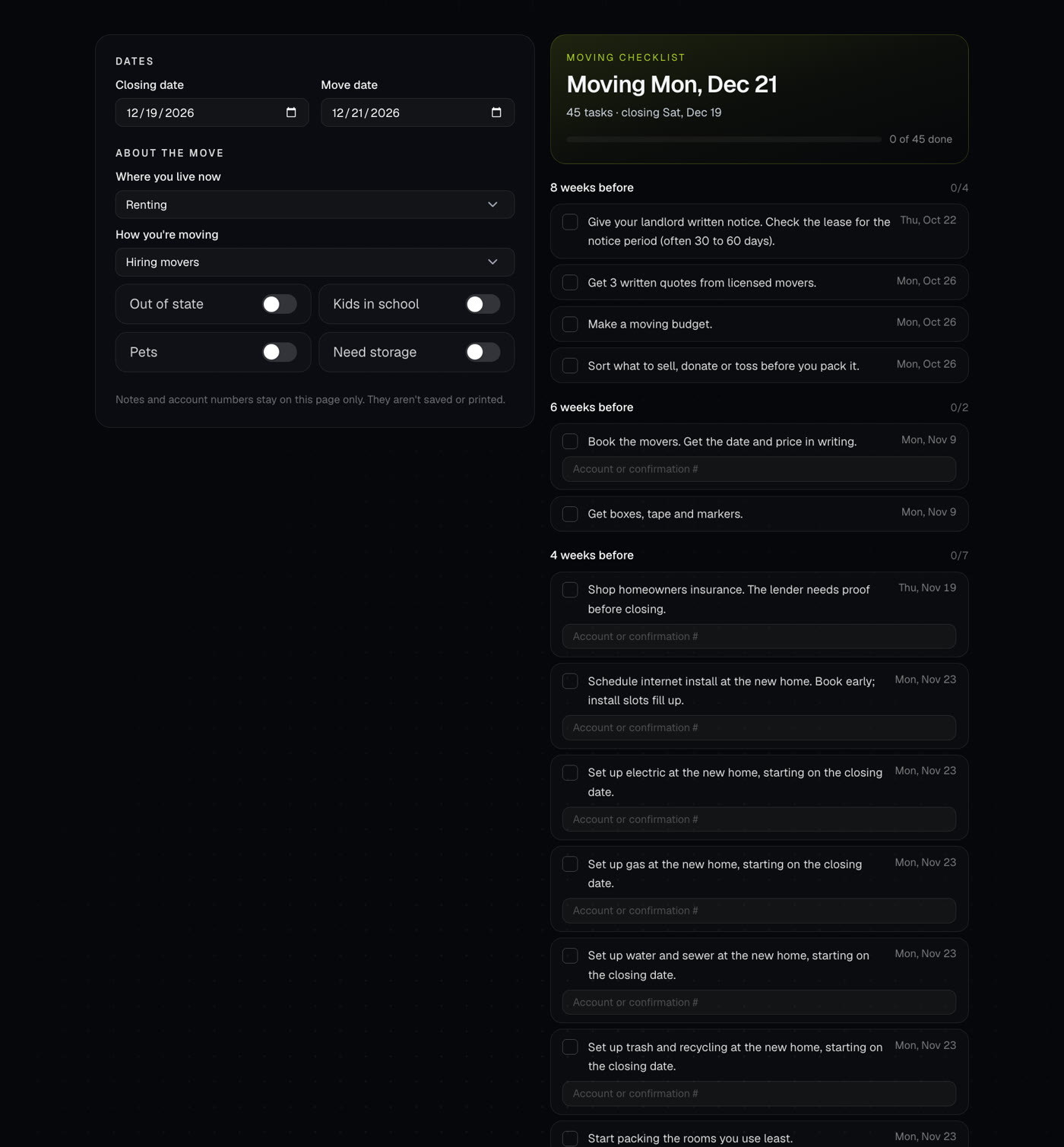
Builds a dated moving checklist from the closing and move dates, from 8 weeks before to the weeks after.
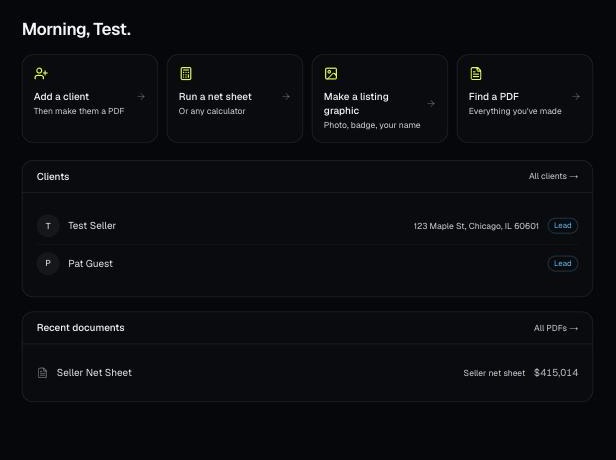
Every PDF you download is saved, so you can preview it, download it again with your current brand, or reopen it with the same numbers.