Rent vs. Buy
Compares the cost of renting with the net cost of owning over the years a buyer plans to stay, and finds the year buying pulls ahead.
Open the Rent vs. Buy calculatorStep by step
- 1
Enter the rent
Type the monthly rent and how much it goes up each year.
- 2
Enter the home
Set the price, down payment, rate, term, tax rate, insurance, HOA and maintenance as a percent of value.
- 3
Set the years ahead
Slide the years they'll stay (1 to 15) and set appreciation, buying costs and selling costs.
- 4
Add the money tied up
Under More details, set what the down payment could earn invested, and turn on the tax deduction with a marginal rate if they itemize.
- 5
Download the PDF
If you like, pick a client and property in the Client & property menu above the button so the PDF says who it's for. It doesn't change your numbers. Download the Rent vs. Buy PDF with your name, photo and phone on it; it saves to the Results tab.
- 6
Send it to clients
The Share tab has your branded link for this calculator, with buttons to copy, text or email it. Clients can run it there on their own.
Reading the results
The top line says whether buying or renting comes out ahead, by how much, and the year buying pulls ahead. The breakdown shows rent paid, net cost of owning and the equity they'd have.
Net cost of owning is payments, taxes, insurance, HOA, maintenance and buying and selling costs, plus what the cash at closing would have earned invested, minus the equity at the end.
Assumptions
Appreciation, rent growth and the investment return are guesses you set. Try 0% appreciation to see the floor.
What the PDF has
The renting and buying figures and a year-by-year table through year 15.
On your branded page
Clients can run this calculator on your branded page, techybroker.com/b/{handle}, under Buying. To download the PDF they give a name and an email or phone. That adds them to your clients, and their runs and downloads show in Activity.
Questions
Why does renting win in the early years?
Buying and selling costs and the lost return on the down payment are large at first. Equity and appreciation catch up over time.
Does it count the mortgage interest deduction?
Only if you turn it on under More details. It only helps buyers who itemize.
Related
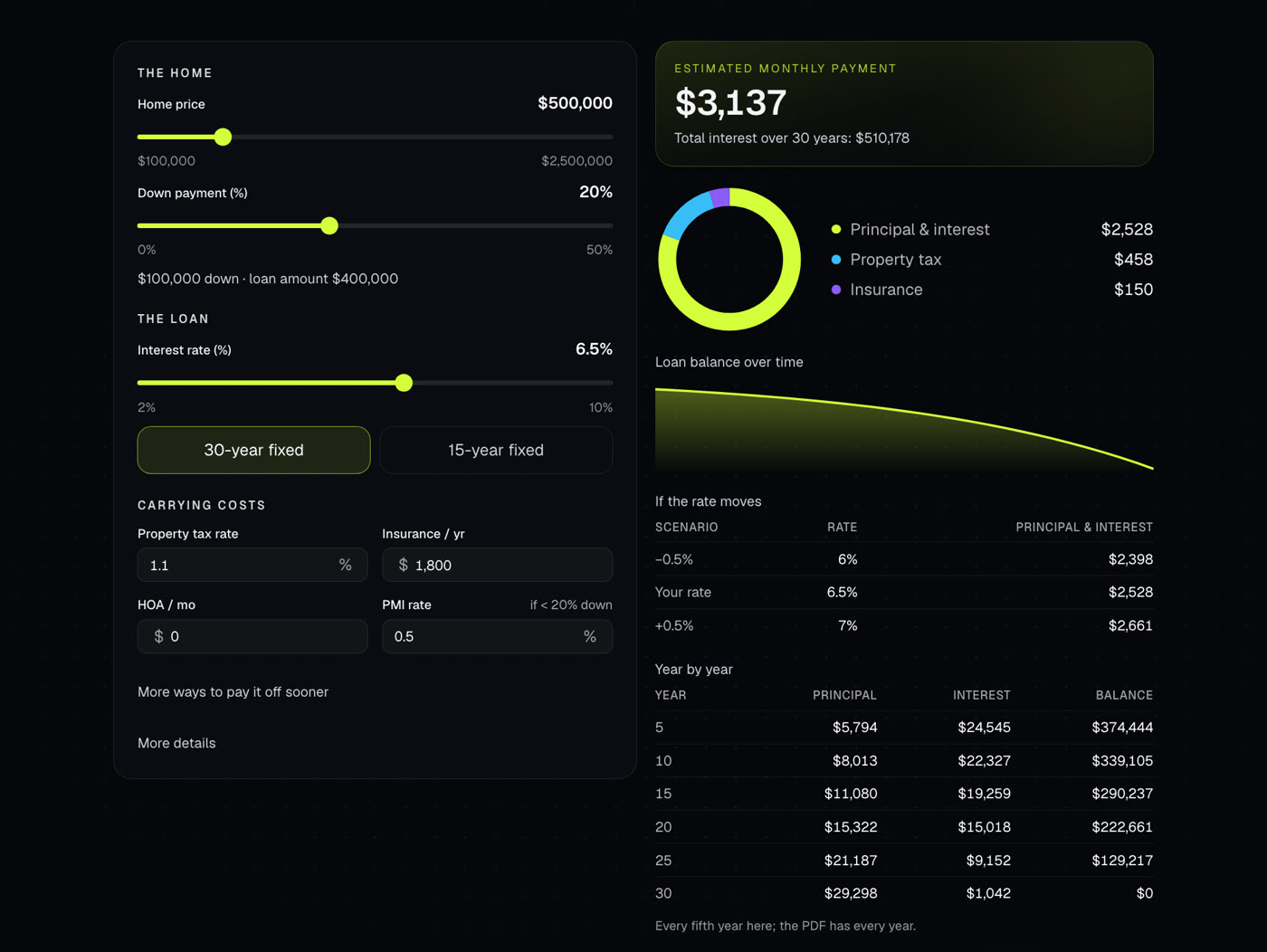
Shows the full monthly payment with taxes, insurance, PMI and HOA, plus the loan balance over time. Also handles extra payments and discount points.
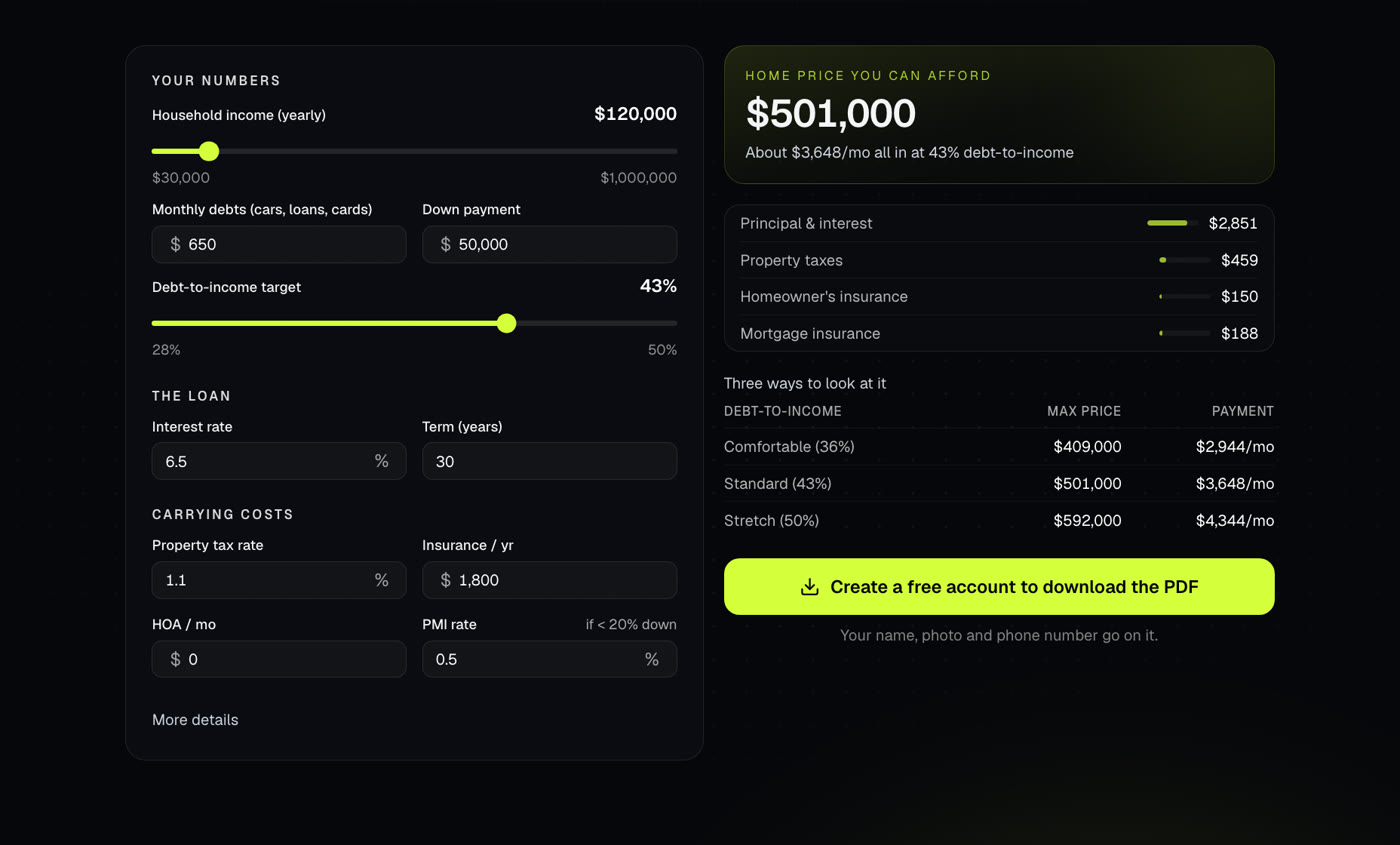
Works out the home price a buyer can afford from income, debts, down payment and rate, with the full monthly payment at that price.

Your branded page at techybroker.com/b/{handle} has your calculators with your name and photo on them. Clients run their own numbers and download PDFs branded to you.