The tools directory
The tools page lists every calculator and tool on the site, with the plan each one is in. Use it to find what you need and see what each plan includes.
Open the tools pageStep by step
- 1
Open the tools page
Go to techybroker.com/tools. Every calculator and tool shows as a card.
- 2
Search
Type in the search box to filter by name, description or group.
- 3
Filter by plan
Click All, Basic, Plus or Premier to see only that plan's tools. Each button shows how many are in it.
- 4
Open a card
Basic calculators say Use it free. Paid tools say See how it works and open a page that explains the tool.
- 5
Compare plans
Click Compare plans to see what each plan includes side by side.
Reading the cards
Each card has a plan badge in that plan's color. Basic calculators also show their group, such as Buying or Selling, or For agents if they're agent-only.
Cards marked New were added recently. Cards marked Coming soon aren't ready yet.
Tools inside the dashboard
Once you're signed in, the same tools are in your dashboard sidebar. Calculators are grouped by Buying, Selling, Investing, Closing and Agent, then come Plus tools and Premier tools.
A tool your plan doesn't include shows a lock. Opening it shows what it does and which plan it's in.
Questions
Are all the calculators free?
Yes. Every calculator is on the Basic plan, including branded PDFs.
What does Soon mean in my sidebar?
That tool isn't ready yet. It will open once it's live.
How do I get a locked tool?
Upgrade to the plan shown on the tool, or join eXp with Techy Broker as your sponsor to get everything free on the Partner plan. See pricing.
Related
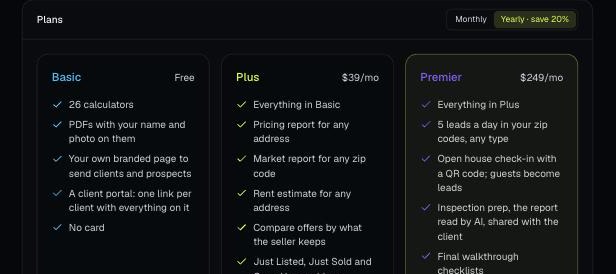
There are four plans: Basic, Plus, Premier and Partner. Change your plan, update your card and see invoices from Billing.
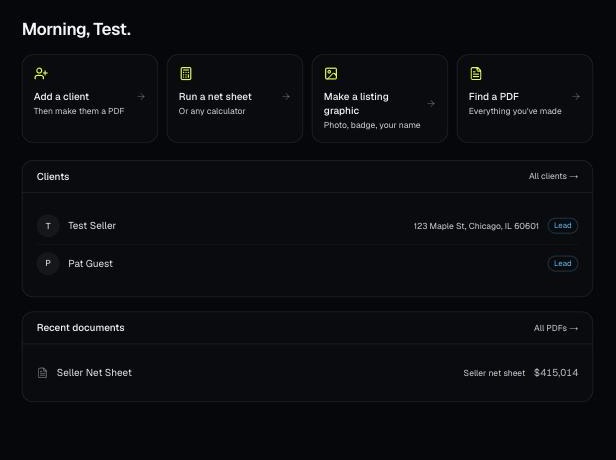
Make a free account, add your brand, and make your first PDF. This is the short path from sign-up to sending a client something with your name on it.
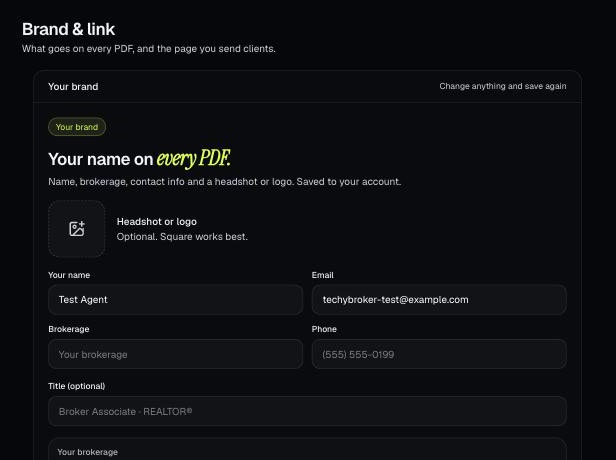
Your brand is the name, photo, contact info, color and font that go on every PDF. It also sets your branded link.