Activity
Activity shows what people do on your branded page: every view, calculation and download, newest first. Downloads have a View PDF button.
Open ActivityStep by step
- 1
Open Activity
Click Activity in the sidebar. It fills in once you've shared your branded link.
- 2
Check the last 7 days
Three boxes at the top count views, calculations and downloads from the past week.
- 3
Filter by kind
Click a box to show only views, calculations or downloads. Click it again to show everything.
- 4
See who it was
Each row shows who did what, on which calculator, with the numbers. A named visitor links to their client page.
- 5
View their PDF
On a download row, click View PDF to see the exact PDF they downloaded.
Reading a row
Rows read like a sentence: who, what they did, and which calculator, followed by the headline number. Rows are grouped by day: Today, Yesterday, then dates.
Someone who hasn't given a name shows as Someone. Once they give a name to download, their earlier rows in that visit pick up the name too.
Where else it shows
A client's own page has an On your branded page panel with just their activity.
Tidying up
Hover a row and click the trash icon to remove it.
Questions
When does a calculation get logged?
When the visitor's result settles for a few seconds. Repeated changes within a minute aren't logged again.
Why does it say Someone?
The visitor hasn't given a name yet. Names come in when they fill in the form to download a PDF.
Does it track the vendors page?
Yes. Views of your trusted vendors page show as Trusted vendors.
Related
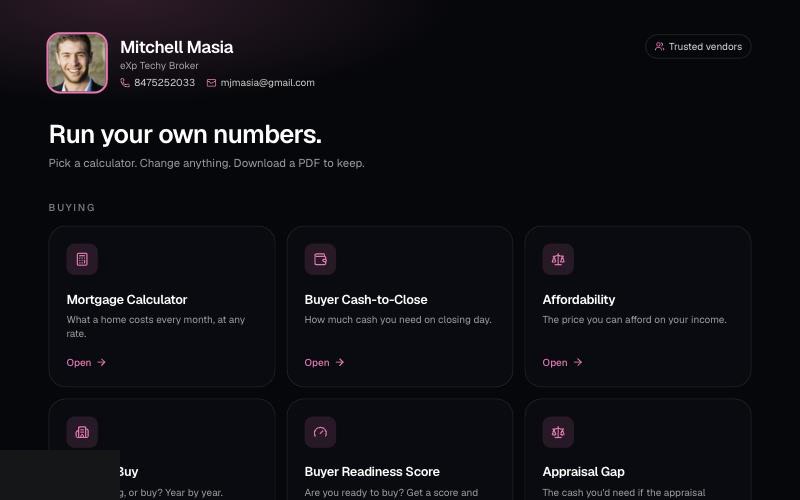
Your branded page at techybroker.com/b/{handle} has your calculators with your name and photo on them. Clients run their own numbers and download PDFs branded to you.
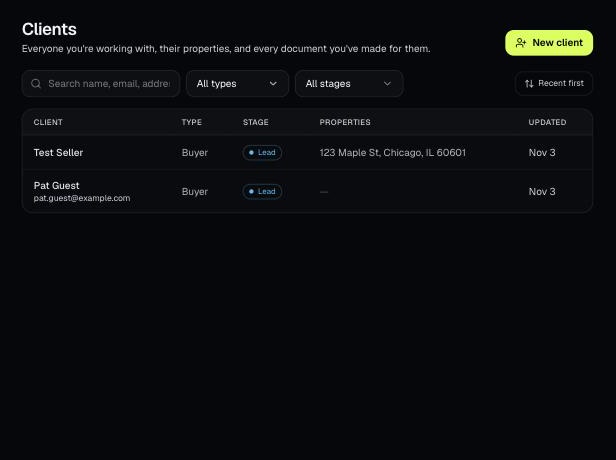
Clients holds everyone you work with, their properties, and every document you've made for them. Tools open prefilled from a client's property.
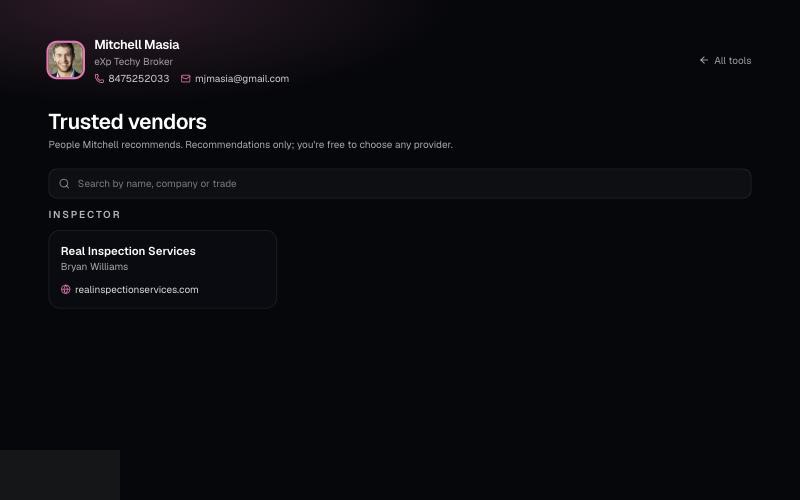
List the lenders, inspectors and contractors you recommend on your branded page. Clients can search them at /b/{handle}/trusted-vendors.